Apple Home 101: EP2
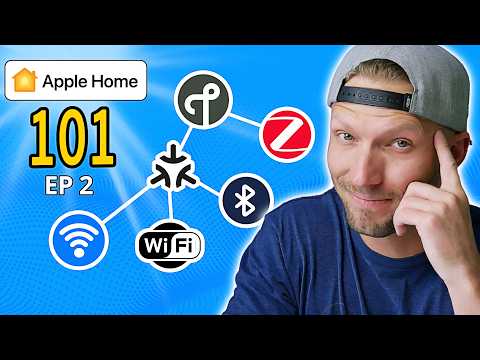
In this second video of my Apple Home 101 series, I break down the essential components that make your smart home communicate: Apple Home hubs and wireless protocols.
Many people make the mistake of buying smart devices without understanding how they actually communicate with each other. Learning how your devices communicate within your smart home is key for building a reliable, responsive smart home system that just works, every time.
In this video, you’ll learn:
– Which Apple Home hubs to choose (HomePod, HomePod mini, Apple TV 4K) and why they are important
– The major wireless protocols your devices use (Thread, WiFi, Bluetooth, Zigbee, & more)
– What Matter actually is, how it’s changing the smart home landscape, and what you need to know
– The pros and cons of bridges vs. direct-connect devices
– How to future-proof your smart home with the right protocol choices
Whether you’re just starting your smart home journey or looking to improve an existing setup, understanding these foundational elements will help you build a system that’s reliable, responsive, and easy to maintain.
⏱️ WATCH THE SERIES:
– Part 1: Building a Reliable Smart Home (Network Essentials) –
– Part 2: Understanding Hubs & Protocols – This Video
– Part 3: Smart Home Organization (Scenes, Automations & Power Tips)
– Part 4: Apple Home: Beyond the Basics –
🔗 PRODUCTS MENTIONED:
– HomePod mini
– HOmePod 2nd Gen
– Apple TV 4K (Thread-enabled version)
– Recommended Smart Home Products
👍 If you found this video helpful, please give it a thumbs up and subscribe for weekly smart home content and live streams!
❤️ Become a channel member to support this channel and get perks like access to our private Discord Server!!
NOTE: This description contains affiliate links that allow you to find the items mentioned in this video at no cost to you. I earn from qualifying purchases.
::::::::::::::::::::::::::::::::::::::::::::
SOCIAL
::::::::::::::::::::::::::::::::::::::::::::
► Instagram –
► X –
► TikTok –
► Website:
::::::::::::::::::::::::::::::::::::::::::::::::
🎥 RECOMMENDED
::::::::::::::::::::::::::::::::::::::::::::::::
▶ My Ultimate Smart Home Tour
▶ The BRAINS of my Smart Home (Network Rack Update + Unifi)
::::::::::::::::::::::::::::::::::::::::::::::::
CHAPTERS
::::::::::::::::::::::::::::::::::::::::::::::::
0:00 Apple Home 101
0:58 Overview
2:05 Apple Home Hub Basics
4:24 Understanding Protocols
4:57 Bluetooth
5:28 Thread
7:08 WiFi
7:38 Ethernet
8:00 Bridges (Other Protocols)
10:53 What About Matter?
14:25 Recap
15:00 Choosing Smart Home Products
15:44 Video 3 Preview
::::::::::::::::::::::::::::::::::::::
#AppleHome #SmartHome #AppleHome101
Welcome to the second video in my Apple Home 101 series! 👋
This series is designed to help you build a rock-solid Apple Home smart home from the ground up:
– EP 1: Network Essentials – The foundation https://youtu.be/f2u-yBX-jTQ
– EP 2: Hubs & Protocols (this video) – The communication layer
– EP 3: Smart Home Organization – Scenes, Automations & Power Tips https://youtu.be/f5PKwCK99Jo
– EP 4: Apple Home: Beyond the Basics – https://youtu.be/dSw_WVzIsyo
What protocol do you use most in your smart home? Let me know in the comments!
📱 Subscribe and hit the notification bell to catch the rest of this series!
Great explanation, thx.
I’ve been using an Aquara M2 hub and well as an M100 hub for child devices. I have exposed both hubs to Apple Home but none of the Child Devices appear in apple home. I have tried everything to get them to show up but nothing has worked. Any ideas what might be causing this problem? I have restarted the router and hubs. I have deleted devices and re-added them. Really frustrated since it looks so easy on different videos, but I have struggled from day one. I like the Aquara stuff, but none really works in Apple Home.
this is the BEST video ive seen so far explaining this.
I did view EP 1 and 2 because I want to ensure I do have a proper unterstanding before I purchase anything.
However I did not see or hear any information about the power consumption of the components and for a complete system.
Is this not also important?
In my view this would be an important information for a purchase devision because I do want to have a solution which does not cause significant cost over the years.
What is your view on this?