
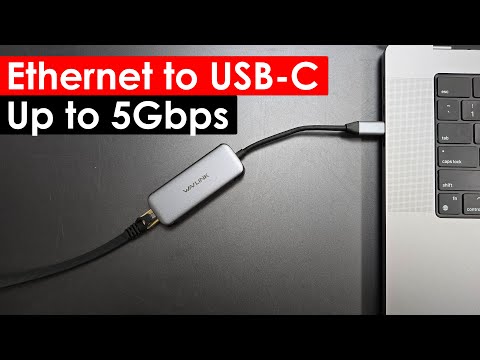
https://www.youtube.com/watch?v=EGmMP78iDT0
Get the most out of your internet connection with the WAVLINK 5Gbps USB-C to Ethernet Adapter! We run extensive speed tests, comparing internet speeds and local speed tests, to show you the true potential of this adapter. Watch to see if it lives up to the hype!
✔️Subscribe:
Product Links
—————————————
WAVLINK 5Gbps USB C to Ethernet Adapter:
As an Amazon Associate I earn from qualifying purchases
Driver Links
—————————————
All Drivers:
WL-NWU340G-A Drivers:
Video Links
—————————————
How to Setup Your Own Local Speed Test Server:
Timeline
—————————————
00:00:00 – WAVLINK USB-C 5Gbps Ethernet Adapter Unboxing
00:00:55 – WAVLINK USB-C 5Gbps Ethernet Adapter Internet Speed Test
00:03:43 – WAVLINK Drivers
00:04:39 – WAVLINK USB-C 5Gbps Ethernet Adapter Local Speed Tests
Sample adapter provided by wavlink for review
Product Link(s):
WAVLINK 5Gbps USB C to Ethernet Adapter: https://amzn.to/3XSAyQ4
As an Amazon Associate I earn from qualifying purchases
can use on iphone 15 pro ? 😅
Bought another version of this from MemoryExpress, the UGREEN brand. But when used on an Android phone that has Android 15, it’s not so great. Because the Android system disconnects the Ethernet connection when the Screen is locked. And I have my phone set to automatically turn off / lock the screen after a minute. Also it takes about a minute for the Android system to connect to the Ethernet. So it’s not so much worthwhile for use on an Android phone to avoid the Wi-Fi radio effects.
Well have Samsung phone, iPhone 15 series and tablet is connected Ethernet adapter with type c port is support otg
it’s rather funny how the driver is optimize on a Macbook while the one for Windows isn’t. I did the same test on an MBA M4. The speed result was 4.1Gbps while on my WIndows laptop, it barely reaches 2Gbps. I still can’t figure out where the bottleneck is or what’s the best workaround to get the max speed (atleast).