
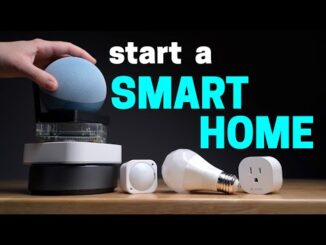
Stop guessing how to build a smart home, and start building your home automation the right way. This is how to build a smart home 101, the ultimate beginner’s guide to smart homes, home automation, connective living, and smart home devices.
We focus on practical home automation techniques that actually work for you and your family. We strip away the technical jargon, and teach you the basics of smart homes so you understand how to get this right the first time.
Continue your learning journey with us:
Our Smart Home 101 Course:
How to choose (WiFi 7 vs 6 vs 6e):
How to choose (Zigbee, Z-Wave, Thread, Matter):
My beginner setup in 2026:
Special thanks to our sponsor for today’s video, who made lots of this possible, Tapo!
Go get the C675D Solar Kit:
– Amazon: (Amazon affiliate link)
– Tapo Store: (Affiliate link)
– Our review of it:
Go get the H500 Smart Hub: (Amazon affiliate link)
– Our review of it:
—–
Timecodes for today’s video:
00:00 – How To Build a Smart Home 101
0:53 – What Can a Smart Home Do?
2:46 – How Does a Smart Home Truly Work?
7:16 – How An Automation Works (Different than you think)
8:25 – What Is A Condition (And How Does It Work?)
10:52 – The Tech You’ll Use In A Smart Home
12:55 – The 6 Wireless Highways Of Your Home
16:52 – The Hub Is In Charge (And How)
19:05 – The Matter Standard (And How it Fixes SOME Things)
23:08 – What’s in a Smart Home?
24:04 – Device Type 1 (Sensors)
27:16 – Device Type 2 (Action Devices)
29:38 – Device Type 3 (Combo Devices)
30:56 – Device Type 4 (Control Interfaces)
31:55 – Device Type 5 (Accessories)
32:51 – Before You Buy Your First Smart Tech
34:10 – An Example of All 5 Device Types Working Together
35:19 – The Critical Choice, Choosing Your Hub And Ecosystem
38:00 – You MUST Have This On Your Hub
39:54 – The 3 Levels of Smart Home Systems
46:56 – How To Avoid Subscriptions Forever
50:12 – The Final Game Plan You’ll Need
Channel links:
Join this channel’s member program to get access to extra videos, early releases, and our member’s vault! (Automater II and higher), plus other perks:
Subscribe to Take The Frustration Out Of Automation:
Automate Your Life is a participant in the Amazon Services LLC Associates Program, an affiliate advertising program designed to provide a means for sites to earn advertising fees by advertising and linking to amazon.com and other Amazon websites.
Thanks for watching, and Live Smart.
Brian

Excellent! Excellent! Excellent! Best smart home primer I have seen.
Time to update your 2015 digital photo frame bro
Great intro and tips! I use Apple Home (AH) as we are very much into the Apple ecosystem and use AppleTVs via Ethernet as our border routers. Big fan of Aqara products for doorbells, locks, thermostats, inside cameras, and sensors. However, I use other products too. This includes Tapo for light switches and plugs, Linkind/AiDot for bulbs and the new IKEA smart buttons. These devices have proven to be relatively inexpensive and very reliable in use. The key item for me is they all use Matter over Thread or WiFi. The only exceptions are the Aqara sensors that use Zigbee but interface through Aqara to AH. I also have UniFi gateways, switches and APs for my network infrastructure.
I probably maxed out Apple Home’s automation capabilities through scenes and shortcuts. But it is rock solid for what it provides. I actually did sniff at Home Assistant a few weeks ago by setting it up using an old Mac Mini. Frankly, I’m not ready for the learning curve at this point. Maybe down the road.
Every smart home rundown, tutorial, or discussion I come across is for big full setups in large detached homes where it’s clearly a hobby in itself. It’s good n all, but I’ve been looking for something for a more realistic, normal build in a condo/apartment. All I need is a setup for 1-2 bedroom condo lighting, whole home audio, a kettle/coffee maker, and curtains/blinds on a low to mid budget simply because it’s a matter of comfort not necessity or hobby.
Right now I just have smart bulbs (annoying because of switches as mentioned in the video), Echo devices for music, and a cheap smart plug (ugly standalone/add-on unit for a rental apartment) for kettle all controlled through Alexa (I’d like to get a dashboard setup somewhere, maybe a cheap Fire tablet or something.
Very good video for beginners. I always think of wifi, thread, bluetooth n others like car highway train track, ship route n aeroplane sky corridor. They need different hub however there is a mega hub that all passengers will meet and change to another mode of transport.