
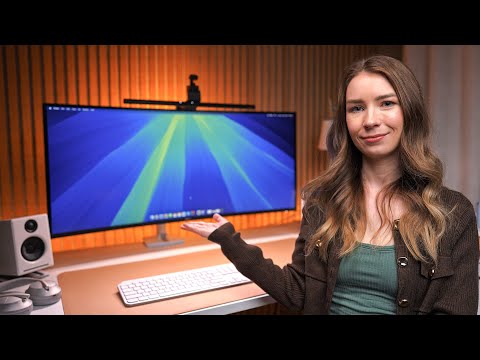
I bought the Dell U4025QW Ultrawide monitor to use for my full-time work from home job. It’s been a few weeks, and I wanted to make this video to talk about my overall experience and review a few key features. Thank you for watching!
Here is my current desk setup:
↪ Dell U4025QW Ultrawide Monitor:
↪ Ergotron LX Premium Monitor Arm:
↪ Desk:
↪ Audioengine A2+ Desktop Speakers:
↪ Speaker Stands:
↪ BenQ ScreenBar Pro:
↪ Insta360 Link Webcam:
↪ MX Keys S Keyboard:
↪ MX Master 3S Mouse:
↪ Desk Mat:
↪ Laptop Stand:
↪ Philips Hue LightStrip Plus:
↪ Philips Hue Play Bar:
↪ Philips Hue Lamp Bulb:
Chapters:
00:00 My New Monitor
00:31 Why I Wanted An Ultrawide
02:37 Resolution
03:32 Refresh Rate
04:08 Thunderbolt 4 Hub
05:47 Build Quality
06:24 Random Observations
07:39 Is This The Best Monitor For Coding?
09:08 My Overall Thoughts
Hello everyone! This is one of my first YouTube videos ever so I have no idea what I’m doing lol. Let me know if there’s anything I can improve!
crazy how you can get a 39 inch alienware rgb stripe tandem oled 5k2k for half the price of U4025QW ($2k) at $1k
Also, 2560×1080 (or whatever large scaling you got going on there) isn’t ideal for a 32 inch class monitor. The correct resolution to use is 3840×1620, or 125%, instead of 200%, where everything is way too large, almost tv sized.
You are actually getting less room, on a 40 inch monitor, than a 27 inch monitor (5k or otherwise) that run at 2560×1440.
For the more adventurous folks, they can run it at 100% of 5120×2160 for max real estate.
are you using ergotron HX or LX?
just give me your desk!
A curved monitor freaks my eyes out.